Profiles
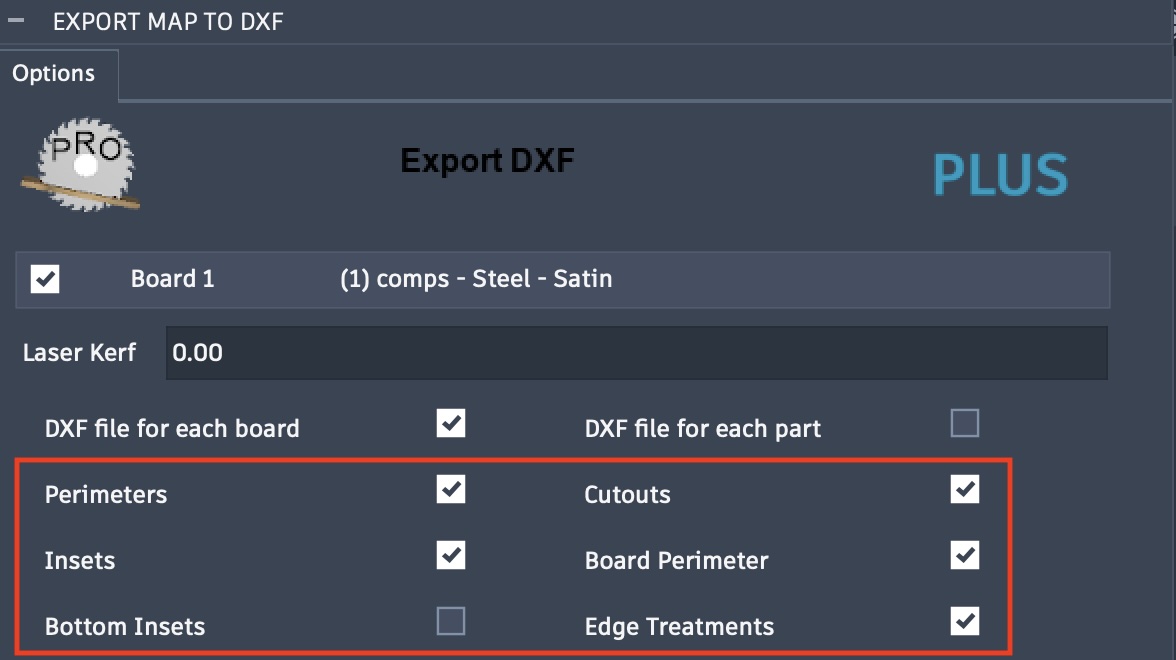
Choose which profile you want to include in the flat panels created for the SVG or DXF exports. These exports require at least one profile to be selected, otherwise a warning popup will display, requiring a selection before you can proceed.
Shown below the profile types, Perimeters, Cutout, Insets, or Board Perimeters can be included or excluded in the exported file. The same profile selections are available for the SVG export.
The included profiles are shown as solid lines in the color specified in the color options. Both Bottom Insets and Edge Treatments are included as dashed lines in the color specified.
With DXF export, each profile is included in a separate layer named with the following formats, a single depth or a depth range in default units. A depth range is provided with the Edge Treatments.
<Profile Type> D 0.000
<Profile Type> D 0.000 - 0.000