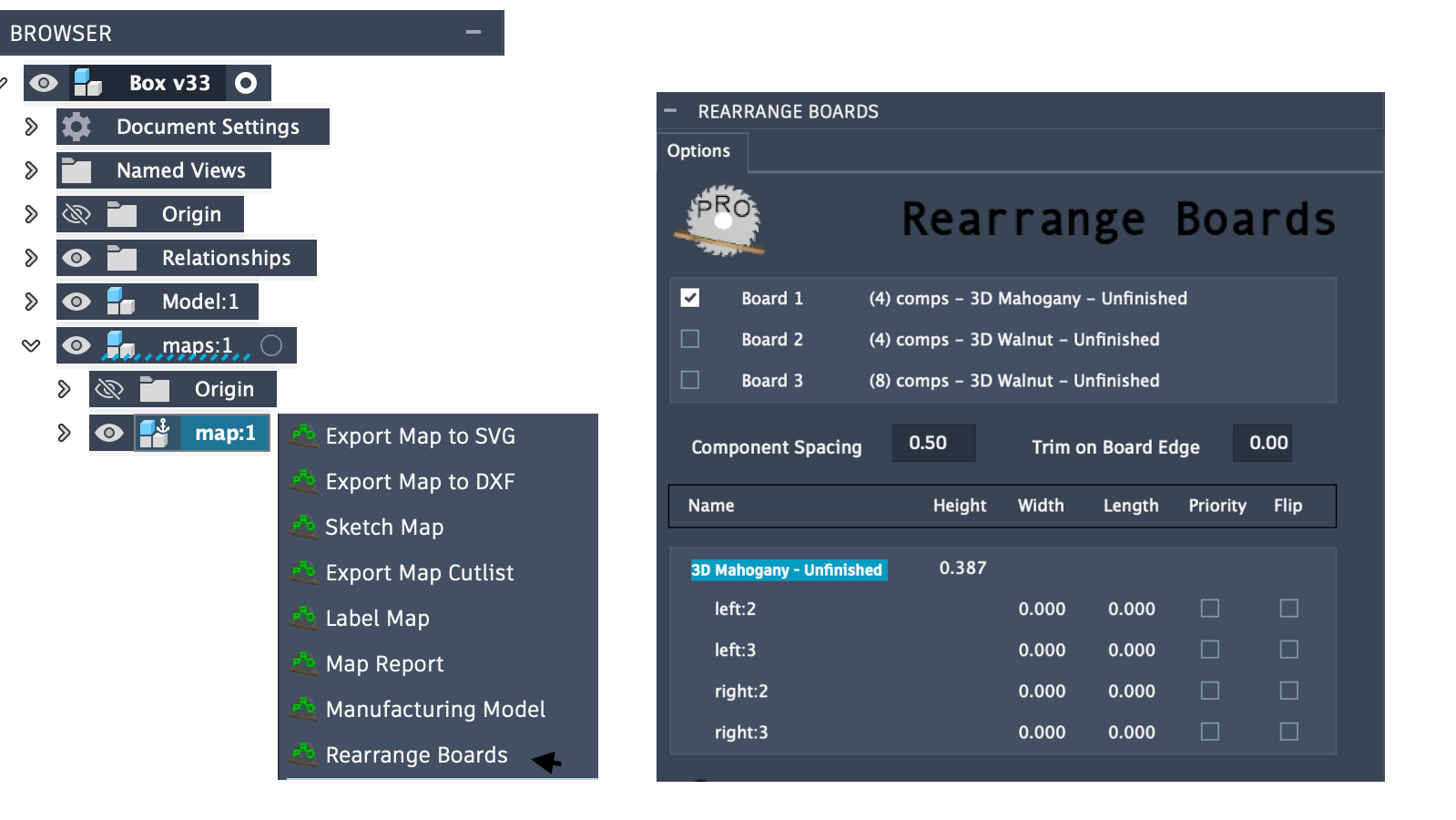
Rearrange Boards (Plus version only)
The post-mapping task Rearrange Boards provides a convenient way to rearrange components for the selected mapped board.
With a board selected, it will present a list of components on the board with a number of options to override the settings used to create the mapped board selected. These include:
Board grain orientation (horizontal or vertical)
- Four possible arrangement types:
Matching Width Horizontally
Matching Lengths Vertically
Fill Boards Diagonally
True Shapes (Fusion 360 native nesting)
Component Spacing
Trim on Board Edge
For each component, Rotate (90 degrees) and Flip top face from default
Once rearrange is run the options used to create the new mapped board are persisted. Relaunching rearrange on the same board will show the updated settings used.
Note: For Fusion’s True Shapes arrangement both Board Grain Orientation and Rotate do not apply and are ignored. True Shapes provides full rotation and part-in-part placement for the best possible material utilization.